Hide clipping mask when exporting?

Map creator
SgtCrawler1116Description
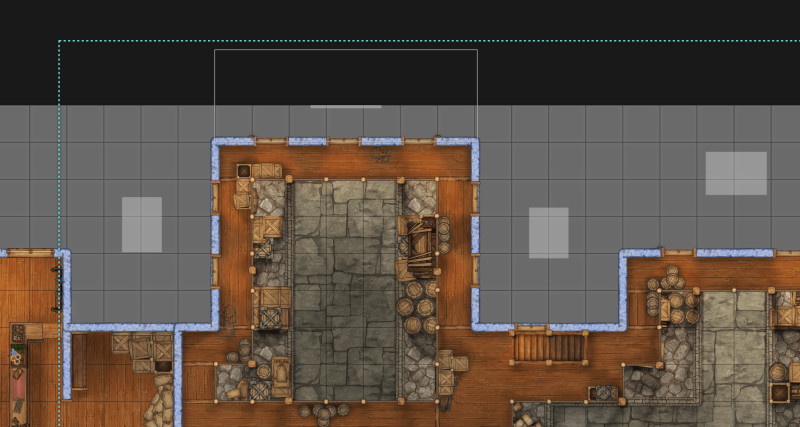
These clipping mask stamps are great for advanced stuff, but I can't for the life of me figure out how to prevent these grey squares (which I assume exist, so you know there's a clipping mask there) from exporting along with the image.
The background here is grey, so you guys can see what I'm talking about, but I'm trying to export this image with a transparent background so I can use this building in other maps in Foundry. The problem is that the grey squares come along. If I hide them in the layers tab or lower their opacity, the things I'm trying to mask away just show up again.
Any help with this?
The background here is grey, so you guys can see what I'm talking about, but I'm trying to export this image with a transparent background so I can use this building in other maps in Foundry. The problem is that the grey squares come along. If I hide them in the layers tab or lower their opacity, the things I'm trying to mask away just show up again.
Any help with this?