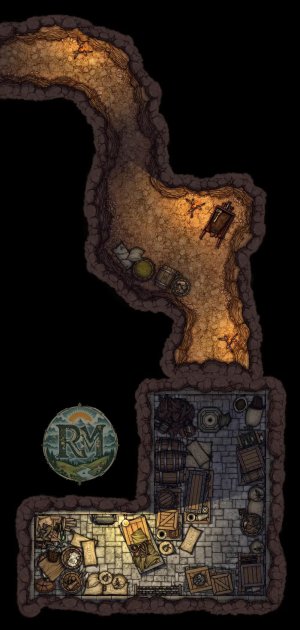
![The Hanging Tower [30x41 Ext] [25x43 Int]](https://images.rpgartstash.com/preview/TnIUEOjb18kLreNyxeGwwSaYR0yLISuMEfJ6o0iR.png)
The Hanging Tower [30x41 Ext] [25x43 Int]
Map creator
NieanawieDescription
\----------
These maps are exactly 30x41 and 25x43. They are designed to be as easy to use as a top-down map.
In Roll20: set your new map page to 30 width and 41 height for the exterior, and 25 width and 43 height for the interior. Set the grid to isometric. Drag the image to the map layer and click Fit to Page when it asks if you want to change size for VTT. That's it! I like to set the grid opacity to 0 when using the maps with grids.
In Owlbear Rodeo: Have a scene set up with an isometric grid. Go to your asset manager to add a new map. Import the image and edit it in the manager. set the width to 30 for the exterior, or 25 for the interior. In the top left corner, drag the map down until it matches the grid. Now it should align perfectly when imported to your scene!
For Fantasy Grounds, set grid to isometric (886.6 x 512.5) and image size height to 41 for the exterior and 43 for the interior. Turn off grid snapping and drag the image to match grid.
In Foundry, be sure to grab the Isometric Perspective add-on.
Actions
Related Arts
![The Hanging Tower [30x41 Ext] [25x43 Int]](https://images.rpgartstash.com/thumb/vr8980GbE7sNQqF0rH4NGXxqt3qmRTxUTh5FnaIm.png)
The Hanging Tower [30x41 Ext] [25x43 Int]
All maps can be downloaded [FREE at high resolution here](https://ko-fi.com/i/IQ4U5212CC1): \-----...
More like this
![22 Free Post-Apocalyptic Battlemaps for Survival & Wasteland RPG Campaigns [Link in comments]](https://images.rpgartstash.com/thumb/WgbHTNc5lmNiCb9KejEfrlKVmOzqLbpM6G4RBD40.jpg)
22 Free Post-Apocalyptic Battlemaps for Survival & Wasteland RPG Campaigns [Link in comments]
Over time, I’ve created a collection of 22 free post-apocalyptic battlemaps that I originally used f...
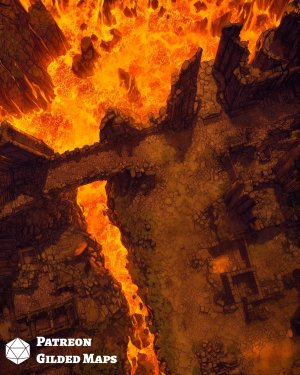
Volcano Map Pack
Fire leaps from the top of the volcano, hungry to devour all that enter its abode. But somewhere dee...
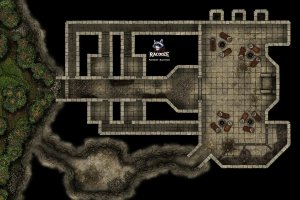
Companion Pack 2 - Kingmaker
![[30x30] City Fighting Ring Fey](https://images.rpgartstash.com/thumb/7BDKQNS35tGXDPE2ly6cAenG1iN16tec3fpVpM6a.jpg)
[30x30] City Fighting Ring Fey
Hi, I am Snowy from **Snowy's Maps**! I create **immersive content** for **TTRPGs**, with **epic bat...
![Bruised and weary, the party has overcome the first chamber of the Desert Dungeon. But this is no time to celebrate. Every step must be calculated… as one by one, the carved stone lids of the sarcophagi throughout the chamber begin to slide open…[24x17] [](https://images.rpgartstash.com/thumb/mC56SAnj4Jenc5fNUFinv4dSHoxVnfwOeBmK0pPJ.jpg)
Bruised and weary, the party has overcome the first chamber of the Desert Dungeon. But this is no time to celebrate. Every step must be calculated… as one by one, the carved stone lids of the sarcophagi throughout the chamber begin to slide open…[24x17] [
Welcome back Fellow Darkish! Visit the Desert Dungeon \[Second Chamber\]([https://www.patreon.com/D...
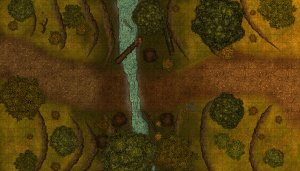
First couple of maps I've made
These are some of the first maps I made using Dungeondraft and the FA assets. I appreciate any thoug...
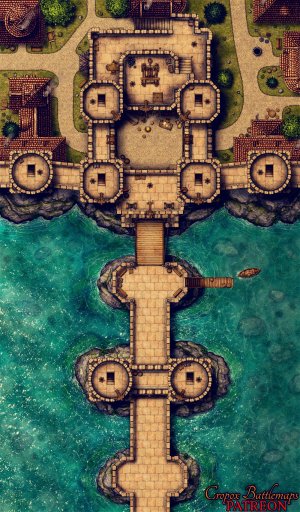
The Great Bridge Bastion 34x58 battle map
Remote Estate
*At the edge of the forest lies a large meadow, the grounds of which are graced by a stately estate....